Quarterly Calendar
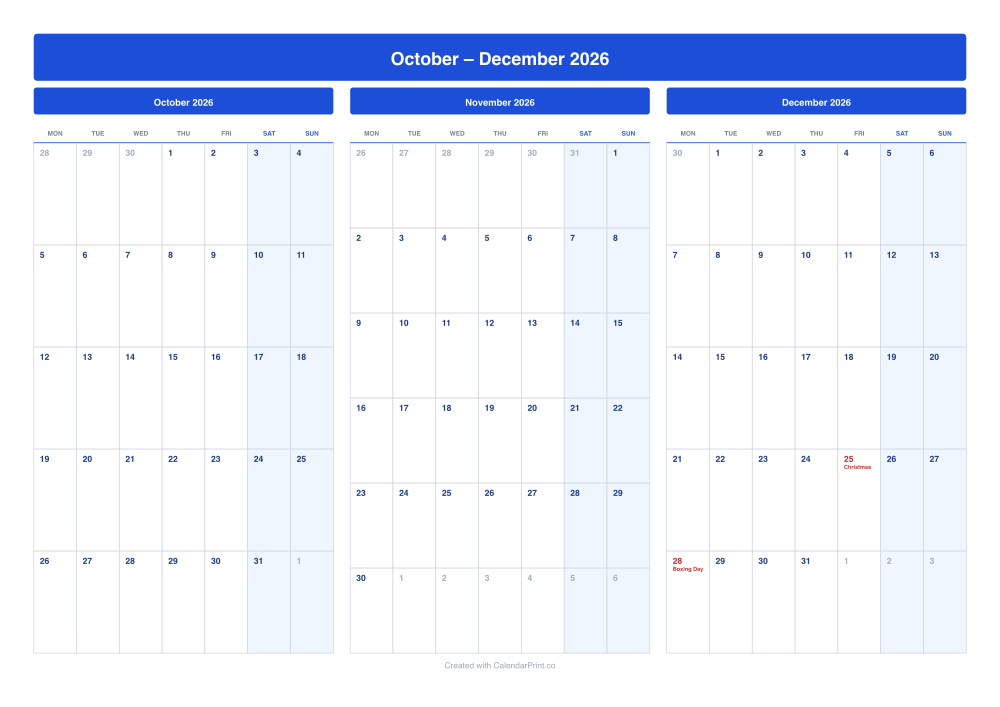
Three consecutive months on a single landscape sheet for quarter-at-a-glance planning. Set the first month of your quarter and the next two follow automatically; switch "Months per page" to 1 for a page per month.
October – December 2026
October 2026
Mon
Tue
Wed
Thu
Fri
Sat
Sun
28
29
30
1
2
3
4
5
6
7
8
9
10
11
12
13
14
15
16
17
18
19
20
21
22
23
24
25
26
27
28
29
30
31
1
November 2026
Mon
Tue
Wed
Thu
Fri
Sat
Sun
26
27
28
29
30
31
1
2
3
4
5
6
7
8
9
10
11
12
13
14
15
16
17
18
19
20
21
22
23
24
25
26
27
28
29
30
1
2
3
4
5
6
December 2026
Mon
Tue
Wed
Thu
Fri
Sat
Sun
30
1
2
3
4
5
6
7
8
9
10
11
12
13
14
15
16
17
18
19
20
21
22
23
24
25
Christmas
26
27
28
Boxing Day
29
30
31
1
2
3
Tip: For the best print results, enable "Background graphics" in your browser's print settings if your calendar uses weekend shading or colour styles.
What this layout gives you
Calendar or fiscal quarters
Start from any month — April for a UK tax year, July for an Australian one.
One sheet or three pages
Three across on landscape by default; one per page if you need room to write.
Striped block-outs
Mark project phases or leave across the quarter.
Frequently Asked Questions
Choose the first month of your fiscal quarter under Date Settings and keep "Months to include" at 3.
Yes. Set "Months to include" to 12 and "Months per page" to 3 — the PDF has four pages, one per quarter.